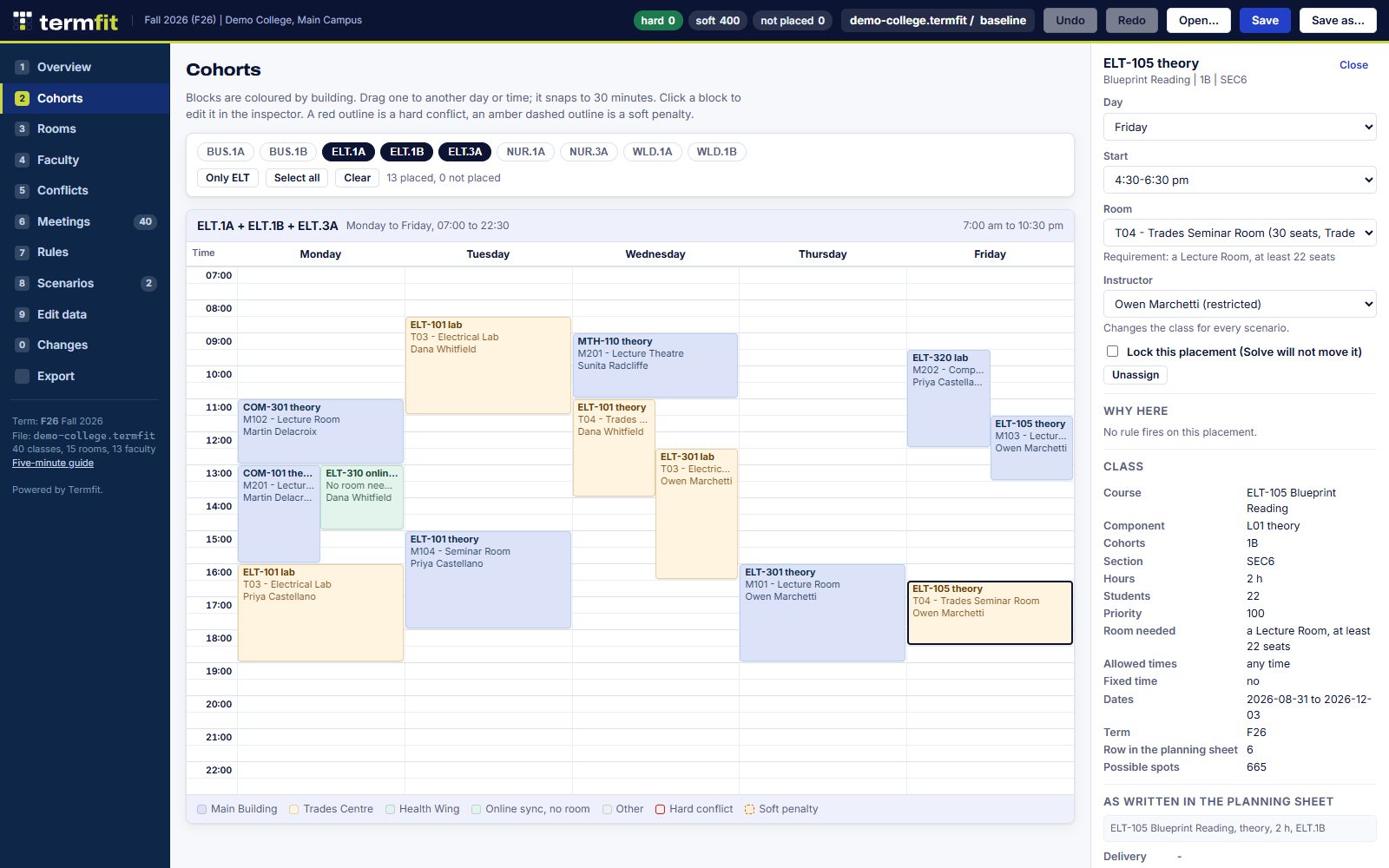
Week grid
Every room, every instructor, every cohort
See the week by cohort, by room or by instructor. Every class sits where it was placed, and you can see the gaps at a glance.

Termfit builds a campus term timetable: every class placed, with its room and instructor, and every clash found before the schedule goes out.
Open Termfit Try the demo college
Runs in your browser. No account. Nothing to install. New here? Read the five-minute guide.
Rooms, instructors, programs and classes go in once. Next term starts from this one, so you only change what changed.
Termfit places the classes and flags double bookings and broken rules. Drag a block when you know better. Undo is one click away.
Clean week schedules for each cohort, instructor and room, printed or saved as PDF.
Week grid
See the week by cohort, by room or by instructor. Every class sits where it was placed, and you can see the gaps at a glance.
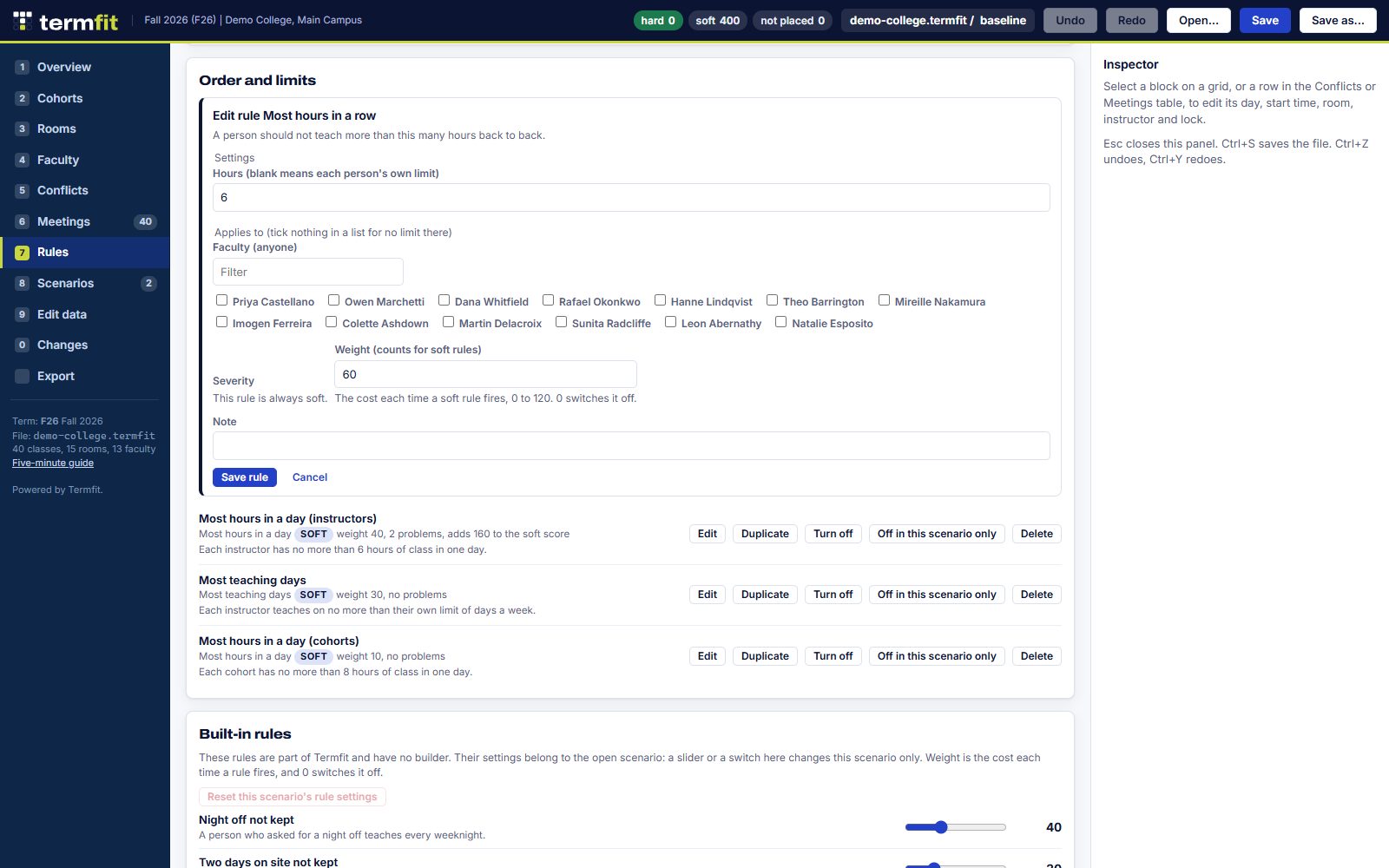
Rules
Theory before lab. A clear weekday for a cohort. Most hours in a row for an instructor. Pick a rule, pick who it covers, done.
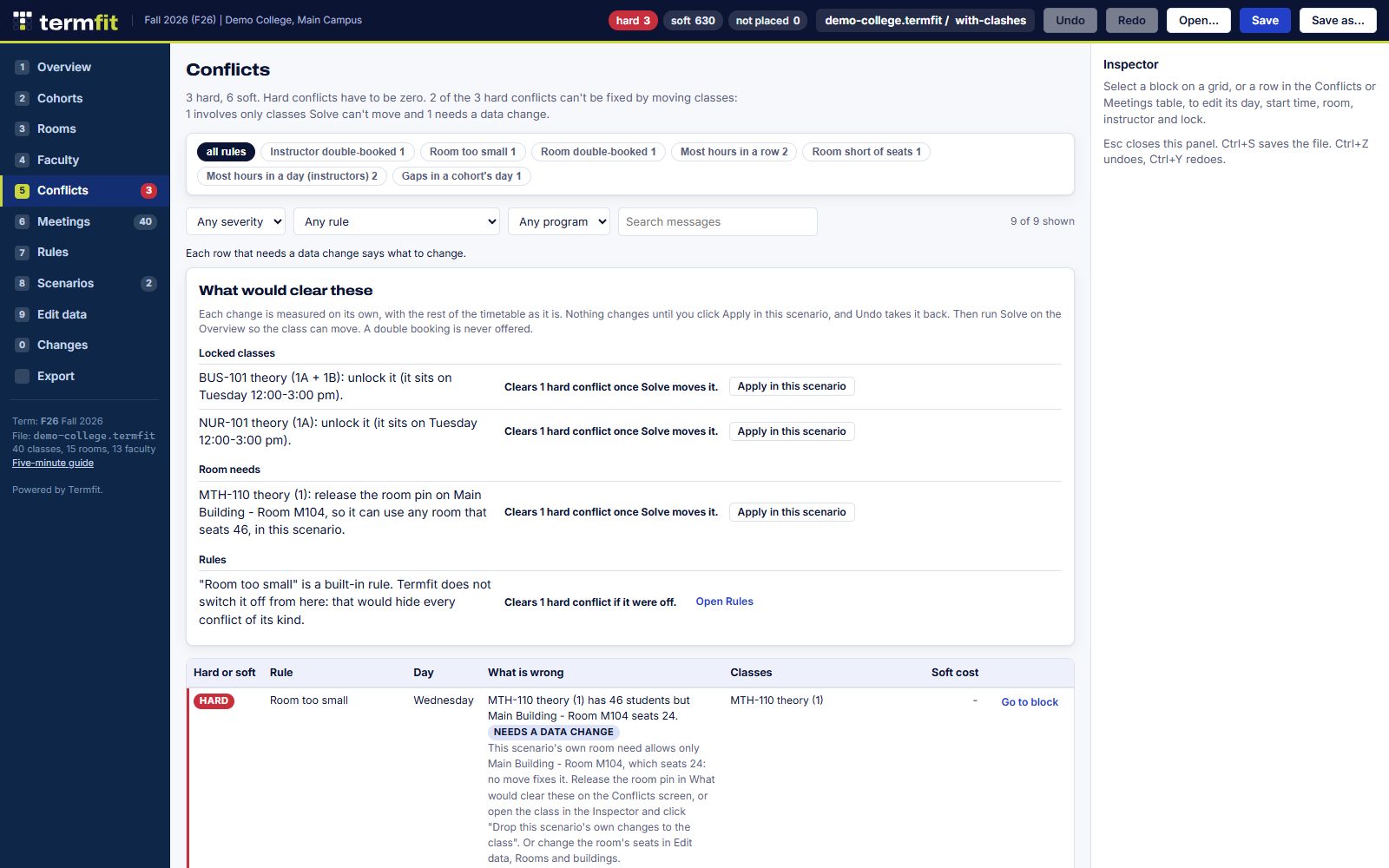
Conflicts
Double bookings and broken rules land in one list. Filter by hard or soft, rule or program, then jump straight to the class.
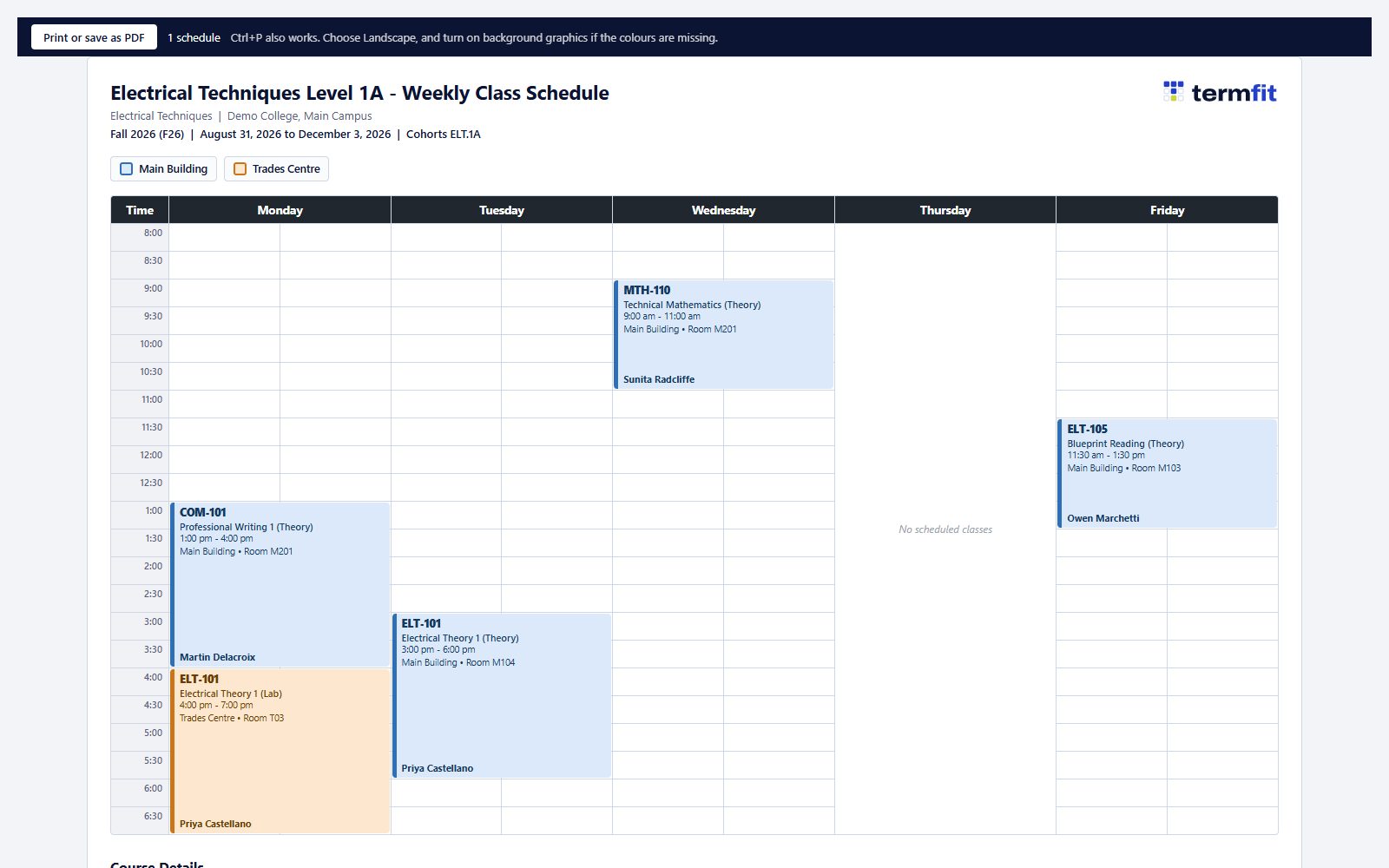
Student week schedules, instructor schedules, room door sheets and a daily campus schedule. Print them or save them as PDF.
Termfit runs in your browser. Your term is a file you save, like any other document. There's no account and no copy on a server. Nothing you type into the app is sent anywhere.
That's the app. The setup help form below is different: it sends what you type to the Termfit Team so we can reply.
Free for anyone to use and share, unchanged, under the Termfit Free Use Licence. All other rights are kept.
Want it done for you? Contact the Termfit Team: tell us a bit about your term and we'll get your campus loaded.
One file. Copy it to a USB stick and open it in Chrome or Edge. No install, no internet.
One limit: the single-file copy can't print. Printing needs termfit.ca.
Just want it to work offline? Offline use starts at termfit.ca/app/: open it once, or install it from Chrome or Edge.